01 / FIND A LINE
Start with a spark.
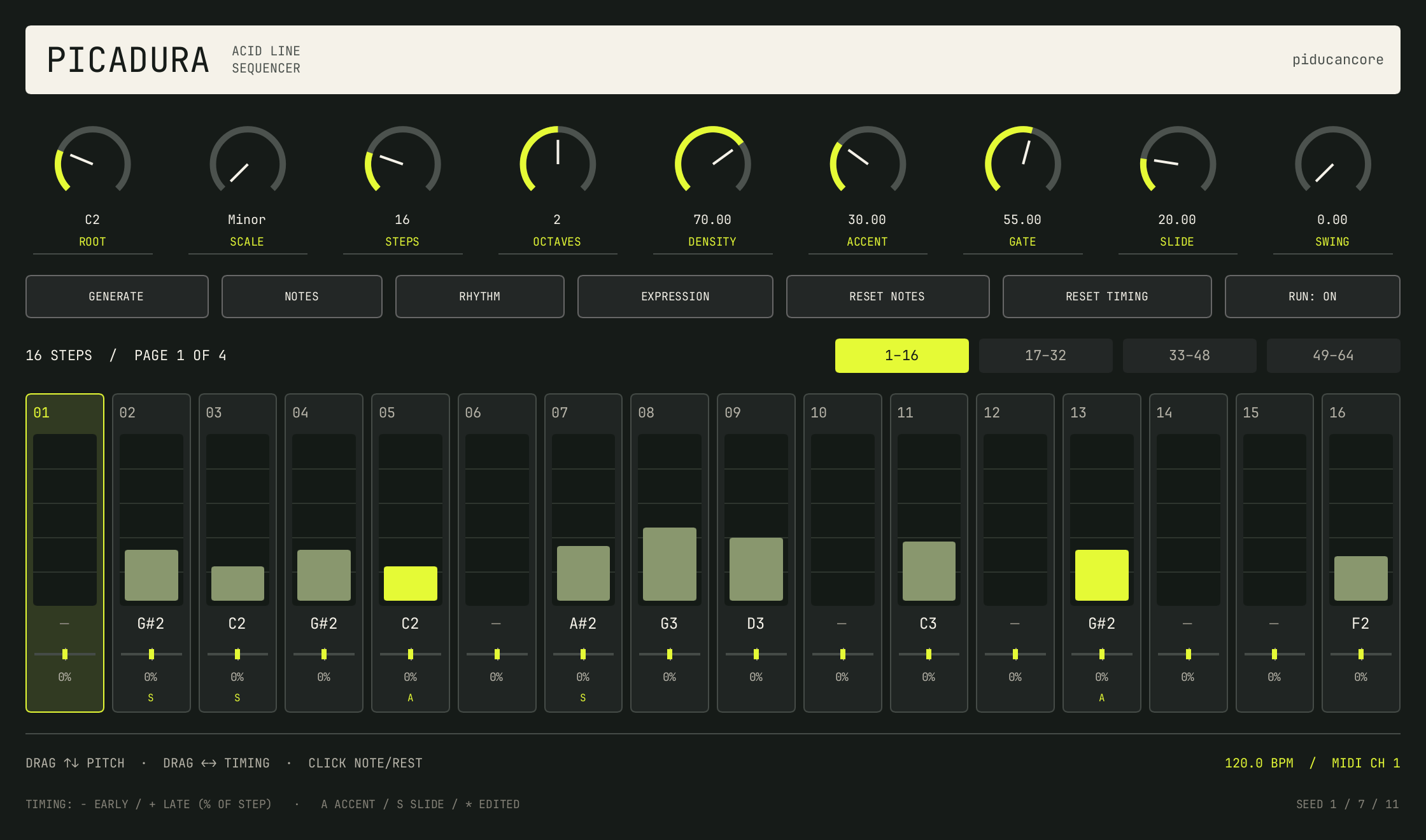
Choose a root and scale, set your density, then Generate. Regenerate notes, rhythm or expression independently while keeping the parts that work.
MIDI SEQUENCER / BY PIDUCANCORE
Generate an acid line. Pull a note into place. Push a step ahead of the beat. Picadura sends the pattern to the synth you already love.
VST3 + CLAP · Windows / macOS / Linux · MIDI output, no built-in synth
01 / FIND A LINE
Choose a root and scale, set your density, then Generate. Regenerate notes, rhythm or expression independently while keeping the parts that work.
02 / MAKE IT YOURS
Drag up or down to change pitch. Click to toggle a note or rest. Grow the sequence from one step to 64 and navigate in pages of 16.
03 / FIND THE POCKET
Drag left to trigger a note early, right to trigger it late. Each step moves up to a quarter-step either way, alongside global swing, gate, accent and slide controls.
Picadura generates MIDI, not audio. In Ableton Live, route its MIDI output to an instrument on another track. In REAPER, place it before your synth in the FX chain. Enable mono legato or portamento on the synth to hear slides.